
When a new Amibe site is first registered it is given a randomly generated address for the administrative dashboard login. This can be changed.
How to do it
While logged into the Admin Dashboard:
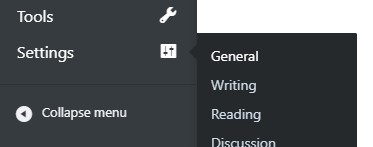
- Navigate to Settings > General
- Change the value for Login url to something you prefer to use for the website.
- Click the Save Changes button at the bottom to change the Admin Dashboard login URL of the website.

Tips & Important Notes
Double check that what you changed it to actually saves. If it remains the same it’s possible you’ve used a restricted word, like ‘login’ or ‘admin’.
So, keep it hard-to-guess, and save the login address in your bookmarks for easy access.